This post is a bit off the usual path of this blog. There is no microcontroller and no RTOS in it. It is about a problem I had at home, the tool I built to solve it, and what I learned about Brazil’s Open Finance along the way. The code is on GitHub as CA Planner, under the MIT license.
The problem
What I want from a personal finance tool is not sophisticated. I want to plan the month’s cash flow: know what is coming in, what is committed, and what is left, in the same way a basic personal accounting software would let me. I could not find a tool that made this easy.
Part of the difficulty is that my finances do not fit the “one person, one account” model most apps assume. I have a personal account and company accounts, and I need to see them together to plan anything. Every tool I tried either forced me into its own category list, could not keep the accounts separate while still showing a combined picture, or turned the monthly planning into a chore of exporting statements and stitching them together by hand. I did the spreadsheet version of this for a while. It does not scale, and the moment you skip a month the picture is gone.
So the requirements were:
- every transaction from every account in one place, fetched automatically;
- my own categories, organized the way I think about my spending, not a fixed list;
- the data on my machine, in a format I can query, back up and keep for as long as I want.
First attempt: a skill, not an app
I used Pluggy to reach the banks. Its Meu Pluggy service is free for personal use: you connect your own accounts there, with your own Open Finance consent, and a small application registered in their dashboard reads what is already connected. One API, one format, for all the accounts.
Rather than an application, my first version was a
Claude Code skill: a set of Python scripts with a
SKILL.md describing when and how to use them. I could type “pull yesterday’s statement”
and get a summary, a normalized JSON file and an OFX file for my accountant. A second
script pushed the transactions into Wallet, the BudgetBakers
app, which I was using as the consolidated view.
That version taught me most of what the current app knows about the banks. A few of the lessons, none of them obvious from the documentation:
- Consent expiry fails silently. When an Open Finance consent expires or is revoked, the transactions endpoint does not return an error. It returns stale data. A daily closing routine would happily report the same balance forever. Every fetch now starts with a health check on the connection, and an expired consent is treated as an error with instructions on how to reconnect.
- Sign conventions differ by account type. On a checking account, negative means money out. On a credit card the convention is inverted: positive is a new expense that increases the bill. Sum both without normalizing and your totals are wrong in a way that is hard to spot.
- Pluggy’s v1 transactions endpoint is retired and answers 410. The v2 endpoint uses a cursor, has fixed pages of 500 and validates parameter names strictly.
- Transaction ids are not stable. If the bank changes the description, date or amount enough, the id changes. Deduplication cannot rely on the id alone.
Why the skill was not enough
The collection part worked. The problem was the destination. Wallet is a fine app for what it does, but I kept fighting it: its category model did not match mine, transfers between my own accounts inflated both sides of the consolidated view unless fixed by hand, and my data lived in someone else’s cloud with an API whose limits I kept bumping into. The skill was doing a lot of work to feed a tool that then did not give me the view I wanted.
At that point the shape of the solution changed. Instead of collecting locally and pushing to a third party, collect locally and keep it local. The skill’s collector became the first module of an application.
CA Planner
CA Planner is a personal finance app that runs both as a desktop application and as a
local web page, from the same codebase. The stack is Node, Electron, Next.js, Prisma and
SQLite. In the browser, npm run dev serves the Next.js app; on the desktop, Electron
starts the same Next.js server in-process and opens it in a window, with the database in
the user’s data folder.
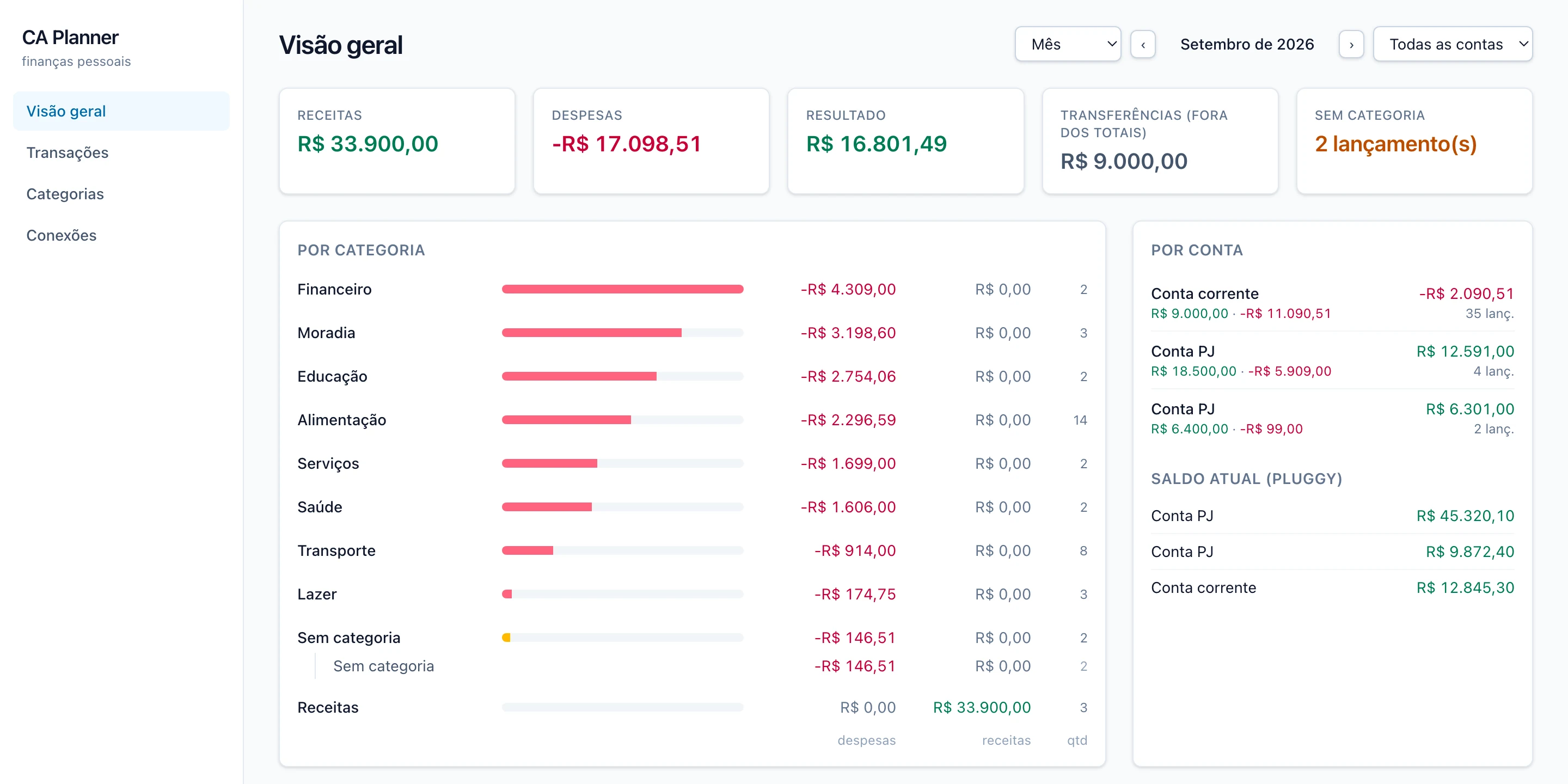
The overview page: income, expenses and result for the month, totals by category and by account. Sample data.
What the first version does:
- Connects to the banks through Pluggy. The Python client was ported to TypeScript, keeping the health check, the retry logic and the sign normalization.
- Stores everything in SQLite through Prisma. Syncing the same period twice updates amounts, descriptions and status but never touches a category I have set.
- Two-level categories, fully editable. Groups such as Moradia or Alimentação, each with its own categories. The app ships with a seed in Portuguese that you can rename, move or delete. Pluggy’s own category is shown as a hint, but the decision is mine; there is no rules engine in this version, by design.
- Transfers between my own accounts are a flag, auto-set from Pluggy’s classification, excluded from the totals and editable per transaction.
- Only checking and savings accounts are synced. Credit cards are registered as ignored, since the payment already appears in the checking account.
- An overview page with monthly totals by category and by account, plus a transactions page with filters for period, account, category and text.
- An importer for the JSON files the old skill produced, so the history I had collected was not lost.
Credentials deserve a note. The Pluggy client id and secret are stored in the database,
with the secret encrypted using a key that lives in a file next to the database and never
inside it. Copying the .db alone exposes nothing. The connection ids for each bank are
registered from the UI, and the app tests the credentials against Pluggy before saving
them.
What comes next
The first version solves the collection and categorization half of the problem. The next step in this work is the other half, the one that started it: features for monthly planning. Planned income and committed expenses per category, a view of what is left for the month, and the comparison between what was planned and what actually happened once the transactions come in.
projects finance #open-finance #pluggy #electron #nextjs #prisma #sqlite #claude-code #typescript #python